Solutions / Route optimization
Route optimization
Cut wasted kilometres with real route history
See the route every vehicle drove each day, compare it with the distance drivers report, and find detours, private trips and empty running.
Included from the Standard plan
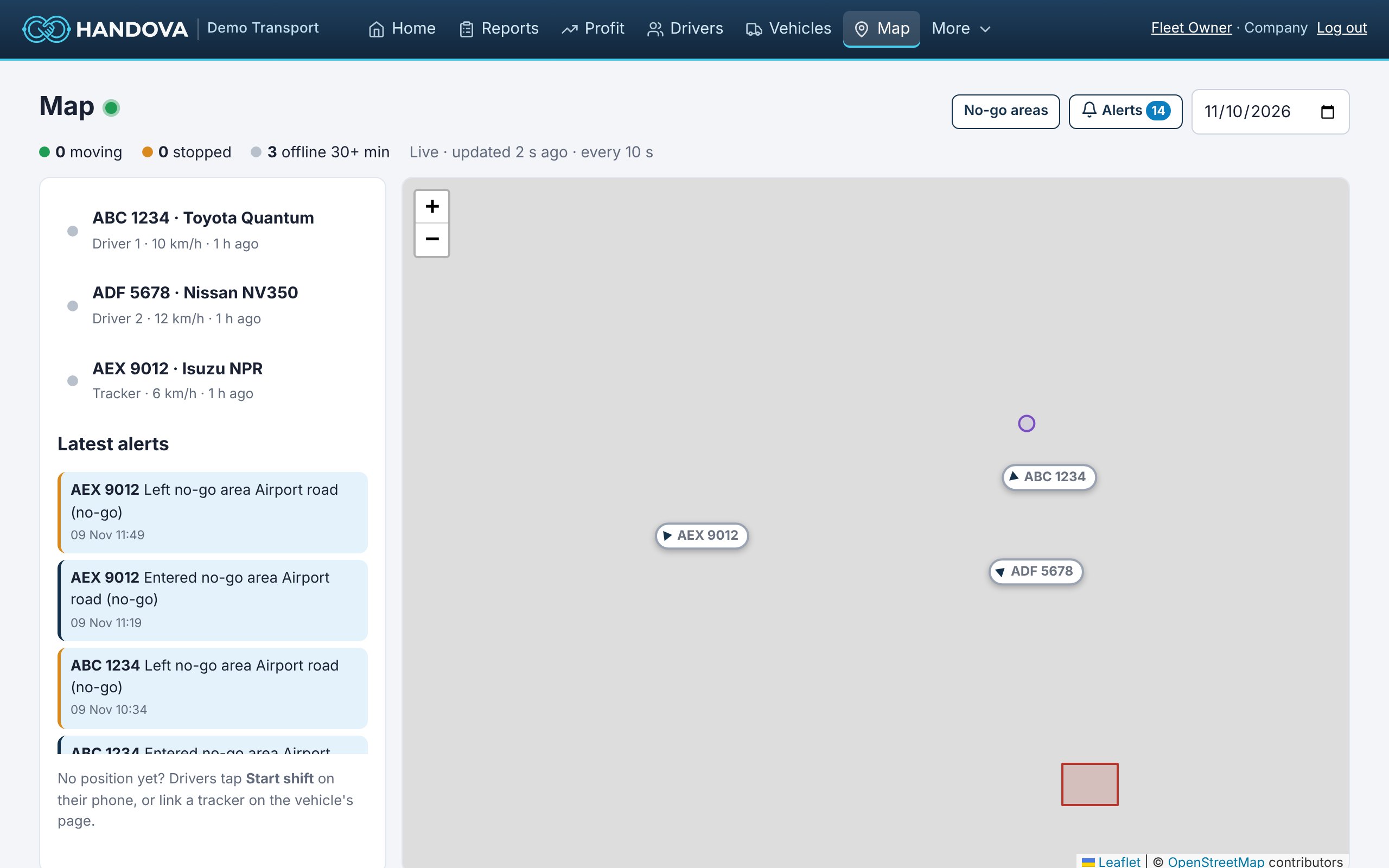
What you get
Route optimization in Handova
Route of the day
Every vehicle's path on the map for any day, from phones or trackers.
Reported vs real distance
Odometer distance compared with GPS distance, with a warning when they differ too much.
Cost per kilometre or mile
Know what each extra kilometre costs, for every vehicle.
No-go areas
Get an alert when a vehicle goes where it should not (Premium plan).
Speed
See speed along the route and get speeding alerts (Ultimate plan).
Planned routes
Automatic route planning for multi-stop trips is on our roadmap.
How it works
Ready in three steps
- 1
Turn on GPS with the Standard plan or higher.
- 2
Open a vehicle and a day on the Live map.
- 3
Compare the route with the trips you expected.
Questions
Common questions
Does Handova plan routes for me?
Not yet. Today Handova shows the routes driven so you can find waste. Route planning is on our roadmap.
Can I export routes?
Distance per vehicle per day is in the reports and CSV export.
Is a driver tracked after the shift?
No. Phones share location only during a shift.
Also in Handova
Works together with
GPS vehicle tracking
A live map of your whole fleet, the route each vehicle drove each day, and GPS distance checked against the odometer, fr…
Learn moreGeofencing and alerts
Draw no-go areas on the map, set your speed limit, and let Handova tell you about shortages, losses, problems, services …
Learn moreFuel management
Litres or gallons and money spent on fuel in every report, the fuel level at the start of every shift, and fuel cost per…
Learn moreReady to see what your fleet really earns?
Founding customers get Standard free for 3 months. Already using Handova? Log in to your account.